Creating Industry and Business
Thank you for printing this page from www.SuperCheats.com.
Remember to come back to check for updates to this guide and much more content for The Sims FreePlay
Follow this guide to hear about updates

Last Updated:
Creating Industry and Business
The next major stage in the development of your town is your creation of Industry so that your Sims have someplace to work in order to earn a living -- but to do that you will need to sock away some Simoleons.
Now if you already placed your third Sim -- which you must do to trigger the goal to build a Business and have that slot show up in your town -- you should try to save $500 so that you can build your Industry. Bear in mind that as the game - and your town - progresses into the higher levels there will be additional Sim requirements.
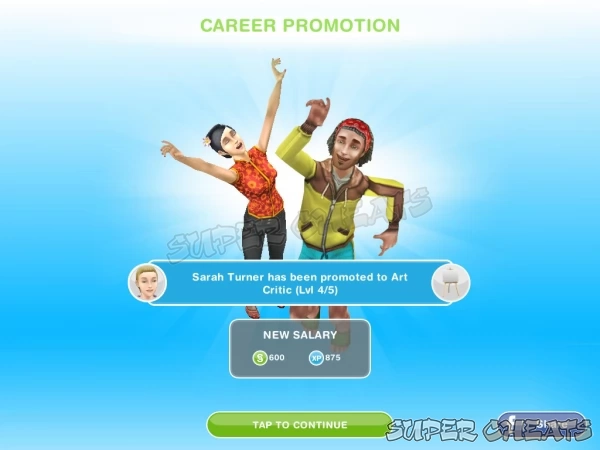
With each new Industry you add a New Job - then work your way up the Job Levels
When you go to the city map you will see the industrial building locations that you can build on, with the options of:
Art Gallery Career Path
- Art Gallery Level 1: Finger Painter ($200 / 375 XP)
- Art Gallery Level 2: Art Student ($350 / 500 XP)
- Art Gallery Level 3: Painting Restorer ($450 / 625 XP)
- Art Gallery Level 4: Art Critic ($600 / 875 XP)
- Art Gallery Level 5: Art Dealer ($1050 / 1125 XP)
Fire Station Career Path
- Fire Station Level 1: Firebug ($240 / 400 XP)
- Fire Station Level 2: Firefighter ($450 / 500 XP)
- Fire Station Level 3: Firefighter Instructor ($650 / 650 XP)
- Fire Station Level 4: Fire Captain ($850 / 900 XP)
- Fire Station Level 5: Fire Chief ($1000 / 1150 XP)
- Stadium Level 1: Jogger ($150 / 400 XP)
- Stadium Level 2: Front Runner ( $250 / 500 XP)
- Stadium Level 3: Personal Trainer ($350 / 650 XP)
- Stadium Level 4: Athlete ($800 / 900 XP)
- Stadium Level 5: Olympian ($1100 / 1150 XP)
Town Hall / Political Career Path
- Town Hall Level 1: Secretary ($300 / 400 XP)
- Town Hall Level 2: Intern ($400 / 500 XP)
- Town Hall Level 3: Campaign Manager ($500 / 650 XP)
- Town Hall Level 4: City Council Member ($700 / 900 XP)
- Town Hall Level 5: Mayor ($950 / 1150 XP)
Science Career Path - Go Geeks!
- Science Lab Level 1: Test Subject (#250 / 400 XP)
- Science Lab Level 2: Lab Assistant / Intern ($350 / 500 XP)
- Science Lab Level 3: Science Teacher ($450 / 650 XP)
- Science Lab Level 4: Inventor ($600 / 900 XP)
- Science Lab Level 5: Mad Scientist ($1000 / 1150 XP)
Additional Workplaces and Industry have been added to the game, including:
Real Estate Agency Career Path
- Real Estate Agency Level 1: Intern ($100 / 400 XP)
- Real Estate Agency Level 2: Apprentice Auctioneer ($250 / 500 XP)
- Real Estate Agency Level 3: Senior Agent ($300 / 650 XP)
- Real Estate Agency Level 4: Agent Manager ($700 / 900 XP)
- Real Estate Agency Level 5: CEO ($950 / 1150 XP)
Acting / Movie Studio Career Path
- Movie Studio Level 1: Set Cleaner ($100 / 400 XP)
- Movie Studio Level 2: Extra ($200 / 500 XP)
- Movie Studio Level 3: Soap Actor ($300 / 650)
- Movie Studio Level 4: Movie Star ($800 / 900 XP)
- Movie Studio Level 5: Actor/Director ($950 / 1150 XP)
Music / Recording Career Path
- Recording Studio Level 1: Roadie ($100 / 400 XP)
- Recording Studio Level 2: Busker ($200 / 500 XP)
- Recording Studio Level 3: Local Artist ($300 / 650 XP)
- Recording Studio Level 4: Musician ($400 / 900 XP)
- Recording Studio Level 5: Hit Machine ($1100 / 1150 XP)
Student Career Path
- School Level 1: Dunce ($100 / 400 XP)
- School Level 2: Class Clown ($150 / 500 XP)
- School Level 3: Teaching Student ($300 / 650 XP)
- School Level 4: Teacher's Aid ($800 / 900 XP)
- School Level 5: Preschool Teacher ($950 / 1150 XP)
Note: The salary and XP earned for each Job may be different than the numbers listed; the game is constantly being tweaked and the values can change.
Bear in mind that the system that is used for building Industry in the game is a tiered system -- the game requirements to make your first choice from the above is two Sims in your town, and $500, but when you go to make your second choice, it will require 4 Sims and $1000 and so on with the requirements and build times increasing with each choice.
Once you have your second Industry in place, and you complete a target number of Goals you are given the opportunity to open a Business -- the difference between an industry and a business should be fairly obvious in that save for government services, industry tends to be higher-end in the money side, while business tends to be lower-end and service-oriented.
Once you have decided upon the Industry you want for your first commercial addition to your town -- and thus the first Job for a Sim -- you will need to pay for its construction and then wait for the hour that it takes for that to complete before you can have a Sim take the job it makes available. Bear in mind that you can choose to use a Life Point to rush the construction to completion -- which will cost you one LP but also gain you an LP, so it is an even trade.
Choosing the Industry you want to build first lets you give your current Sims Jobs but that should not be the end of your building -- when you have the necessary funds you should be making an effort to build the rest of the industry and government buildings that you can, since that adds to the value of your town as well as gives your Sims options for the jobs that they can choose.
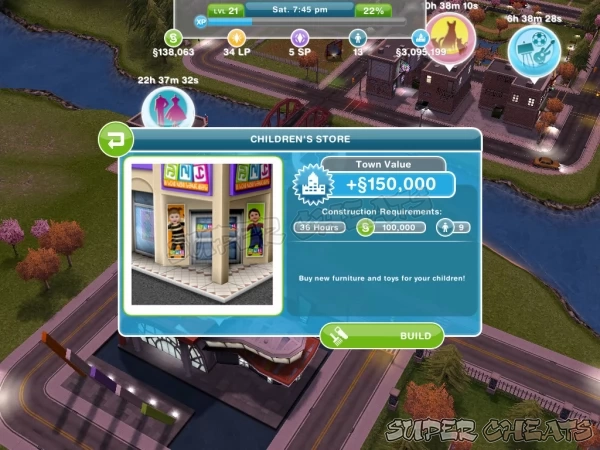
Adding Businesses to your Town adds actions and objects as well.
Adding a Business to your Town
When you reach the point in Goals and Town Value that you are offered the goal to create a Business, the cost for building the first business is $1000 and two hours time, and you can choose from the following:
- Car Dealer: adds daily revenue and allows your Sim to buy a car.
- Hobby Shop: adds hobby Items and skill building options for your Sims.
- Pet Store: allows your Sims to buy Pets.
- Supermarket: adds daily revenue to the town and allows you to buy discounted goods.
Additional Businesses that have been added include:
- Children's Store: adds revenue and gives a place to buy furniture and Toys for your Sim children.
- Fashion and Fancy Dress Store: adds daily revenue and allows your Sims to shop for new clothes.
- Nightclub: adds revenue to town and gives your Sims a place to party the night away!
- Salon: adds revenue to town and gives your Sims a place to go to get beauty treatments and hair cuts.
When you compare the two types of commercial presence in the game you will note that Industry provides Jobs and income, while businesses provide opportunities and goods, it is as simple as that.
Your Sim and their Career
The Career system in FreePlay is very simplified -- basically you start them off by choosing where they will work (their career path) and then they just need to go to work twice in order to trigger the Goals that will help them to advance in their Job, and guide you to making that happen. Well that, and they need to keep going to work of course.
The entry level Job requires your Sim to go to work for two days, and then they are promoted to the next level. The next promotion comes after going to work for three days, and so on, with each new position at the company offering different work hours, as well as higher pay and XP.
Failing to send your Sim to work can result in their being demoted and thus losing their hard-won Promotions, and even in losing their Job regardless of progress, and becoming Unemployed again -- which will require them to start from scratch -- so try to avoid that...
Climbing the Career Ladder
As your game progresses and you level up you will start to get Goals that are primarily Industry based, and that require you to have specific numbers of Sims working in specific industries.
If you do not have enough unemployed Sims you have two basic choices: make more Sims, which means spending more of your money, or having your existing Sims quit their Jobs and start the new profession in order to fulfill the new goal.
Building The Hobby Shop Business early on is a very good idea, as it allows your Sims to purchase Items that can be used to improve their Career level -- note that I did not say skill, but rather level -- because this is not the same system used in the previous series where each of the Sims has a set of skills that can be improved by using items, as in this case the use of the items directly increases the Job level thus offering you gains in advancement and promotion (and so more money and XP) a lot faster.
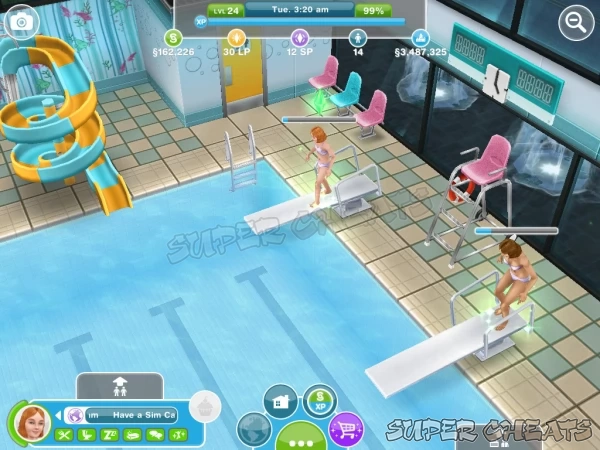
Most of the hobbies include collections that unlock special content when completed.
The Hobby Shop offers the following Items for sale:
- Actor: Movie Camera ($2000)
- Artist: Painting Easel ($700)
- Athlete: Soccer Ball ($950)
- Fashion Designer: Fashion Studio ($2500)
- Firefighter: Fire Hydrant ($1800)
- Musician: Toyota Guitar ($2013 - FREE)
- Musician: Guitar ($4320)
- Politician: Mirror ($300)
- Real Estate Agent: Auction Podium ($2250)
- Scientist: Telescope ($3490)
- Teacher: Teacher's Blackboard ($1900)
- R.C. Boat: Fun in the Park (50 Life Points) - REMOVED FROM STORE MENU
Training Career Levels with Hobby Shop Items
Once you purchase the item appropriate for your Sim based upon their Job, you will find it in your backpack storage in the build menu and you can place it from there in your yard or house, and then use it to increase your Career level.
Each use takes an hour, earns your Sim XP with each use, and adds a small amount to your Career level. The amount of XP your Sims will earn from using each device varies, depending upon the Job.
One last point that needs to be made about the level-improving Items above: they can be used to increase the level but can NOT be used to obtain a promotion -- in order to do that your Sim must attend at least ONE day of work per level of Job to be promoted.
But you can use them in between the at-work days to max-out the level or at least skip some of the work days in progress, which means that having and using these Items is a good idea. Also you do not have to buy an item for each Sim -- they can use the item when visiting the Sim who owns it and still gain levels and XP.
It bears emphasis that your Sims should NEVER be going to work unless their level is 100%, which means that you will want to be diligent in using the training Items from The Hobby Shop to level their Career after each promotion so that going to work the following day will lead to yet another promotion.
If you play this way, you will be able to reach the maximum Job level in less than a real life week for each Sim -- which means you will be pulling in the maximum in money and XP as quickly as you can, and that makes going to work a pleasure!
Anything missing from this guide?
ASK A QUESTION for The Sims FreePlay
Comments for Creating Industry and Business
Add a comment
Please log in above or sign up for free to post commentsTable of ContentsClose
- Introduction
- A Look at Cheats and a Warning
- Gamecenter Achievements
- Sim Stats 4-1-1
- Content Expansion Overview
- Negative Status Notifications
- Courtesy Houses / Lots
- The Town Map
- What's New?
- Top 10 aging actions
- Understanding the Mission Queue
- Ancient Goddess
- Houses
- Baby Guide
- Grand Garages
- Strategically Important
- Walkthrough
- Events and Quests
- Social Quests
- Hobbies
- Professions
- Business
- Industry
- Community Lots
- Reference
Guide Updates
Get notified of updates to this guide
Many of our guides get updated with additional information. To get an email when this guide is updated click below.
 Join us on Discord
Click to close


Im at level 5 in my career, A few of my firefighters make over $2,000 each. Will I continue to make more money? Which is great if I send 5 to work, thats over $10,000 a day. Should I quit and start a new job? If I quit, and go back, will I still be at level 5 or will I start back at 1?
Also, if I buy a house that has items in it that are not available yet and can only be purchased with LP, when I sell the items do I get simoleons or LPs?
Not sure about the first questions, but selling items ALWAYS gives you a small ammount of simoleons and NEVER LP
Good information but I had a different question
My teachers don't get payed. So I need a preteen at the school with them?
Where do you buy the telescope?
You go to the hobbies store. Its right there, next to the pet store. Click and you'll find it.
Thanks
How do you sell a Business ????????
You can not sell a Business
That not help me can you please make that easyer to under stand
I am on level 37 with 34 sims and have found out that the simoleans to build work places stops at 350,000... so far, I have not seen it increase. I have also fond out that you get more simoleans when you send your sims to work or have them plant when they are inspired (aka sparkling green) So always try to keep your sims inspired!!
Where is the hobby shop
I want to build the pet store but I didn't complete part of the task... How can I build it?????????
The salaries are incorrect
This game "locks" a lot of key areas on the map. You must do your tasks or quests to unlock them.
Jobs un this game are a waste of time... The best thing to do is to have all your sims gardening, since by gardening onions you earn 1200 (more than the highest payment from any job) in 7 hours without having to level up!
How can I earn 100.000 to build the petstore all my 7 sims are working but need to find a way to earn that money quicker
Hi I just got SIMs free play and I have completed all of the tasks so far but I don't get as much money back how does that work?
All you have to do is press on the things that you want or build and press "build" look at the requirements for building the business. If it needs 6 sims but u don't have enough, pick a house, pay for it and press "add new sim"
How do you build
O
I have two unemployed SIms but I am unable to give them a job. Please help
Get promoted to level 2 at the town hall
What comes next for a Sim after they have reached the highest stage of a Job (ie: my musician has completed level 5/5). Is there anything beyond that or does he get a new job and start over?
I'm on level 21 and have 13 sims with a town worth of 84000 plus... When am I able to start building businesses .. Or ANYTHING in my town ?!?! I don't have anything !!! Im so stuck on what I do now .. Someone PLEASEEEE help. Me!! (iPad ) thanks sooo much !!
I'm a level nineteen. I want to build the school. How much money do I need? How do I build it? How can I send them to school? I have a kindle fire.
How do i build a business i just got the sims free play yesterday
How do I start building
How do I bulls a business
I'm on lv 17 with 11 sims, 10 adults and 1 toddler. I have the supermarket, children's store, lab, gallery. What workplace and business do you reccomend getting next?
Maybe the car lot or the pet store because if you build that and buy a dog or a cat the animal will dig up money.
what should one do to make a business
Hi I'm level 22 and Businesses currently cost 200,000. The price keeps going up and am wondering when it will stop?
It doesn't I'm on level 37 and my car lot is going to cost me 700,000 advice is build as much as you can as early as possible.
I'm up to level 16 and need to build the supermarket to complete a goal
Hi, I'm new to playing the SIM freeplay on my kindle fire HD. I'm on level 20 with 13 people. I have a preteen and a baby on the way. I have completed the ghost hobby. Started woodworking and ballet for the preteen. When can build a super market or go to the night club, snow park etc?