Critterpedia
Thank you for printing this page from www.SuperCheats.com.Remember to come back to check for updates to this guide and much more content for Animal Crossing: New Horizons
Last Updated:
What is the Critterpedia App in Animal Crossing? This app lets you check the different Bugs and Fish that you have caught so far in the game. You can get different information about them and see if you have deposited them in the Museum or not.
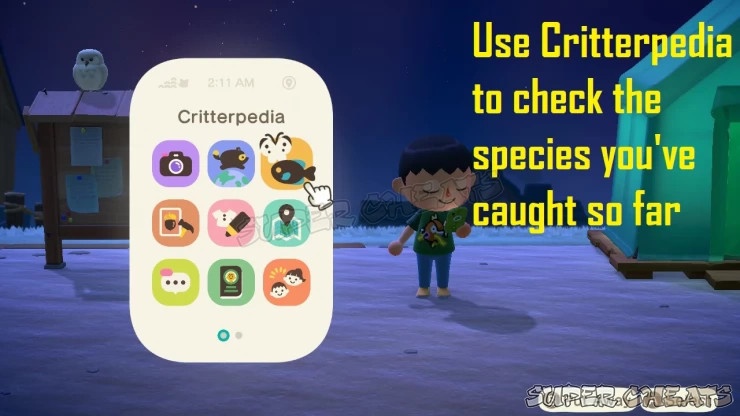
Critterpedia
Unlocking Critterpedia
One of the first tasks of the game requires you to attend the DIY workshop of Tom Nook. You’ll learn how to create a fishing rod and a bug net as your first tools. When you have have fish or bugs, you can submit them to Tom Nook.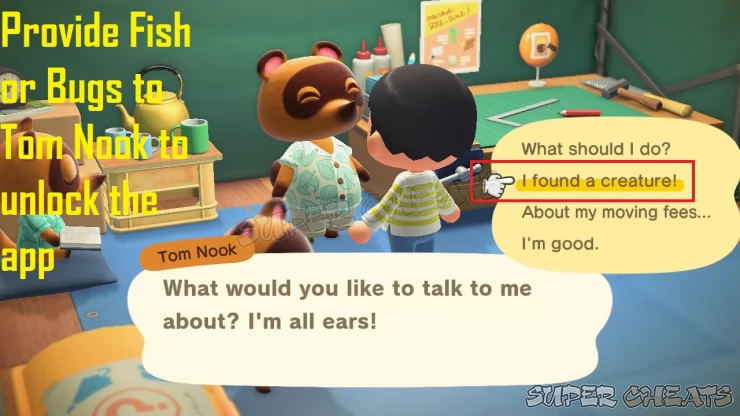
Submitting creatures to Tom Nook
Provide Fish or Bug specimens to Tom Nook 5 times and he’ll provide you with the Critterpedia app. This will also begin your series of tasks to unlock the Museum, so having this app is needed.
Insects Section
When opening the Critterpedia, you’ll be able to check two sections. The first section is for insects, and you can view the ones that you have caught here. Scroll to the right to see your entire list. You can press X to display pictures, and then A to check the details.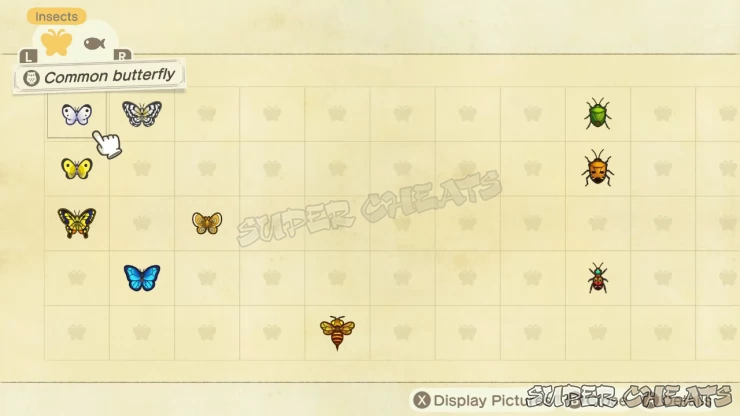
Insects Page
Checking their details will provide you with the following information: Seasonality, Current Active Hours, as well as Donation Status to the Museum.
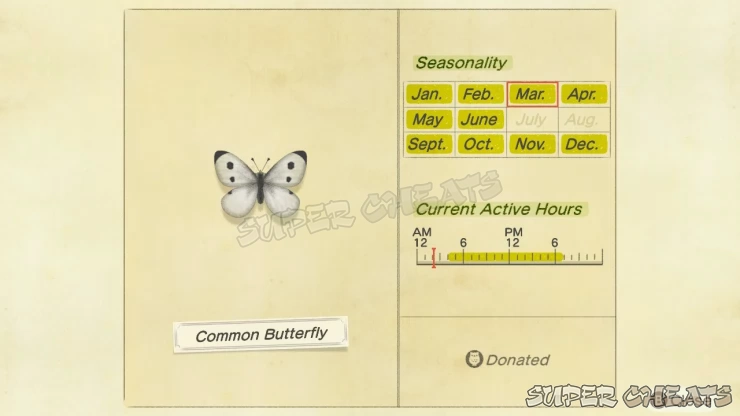
Insect Details
Fish Section
Pressing R will switch you to the other page for Fish. You can view the ones that you have caught in this section. Scroll to the right to see your entire list. You can press X to display pictures, and then A to check the details.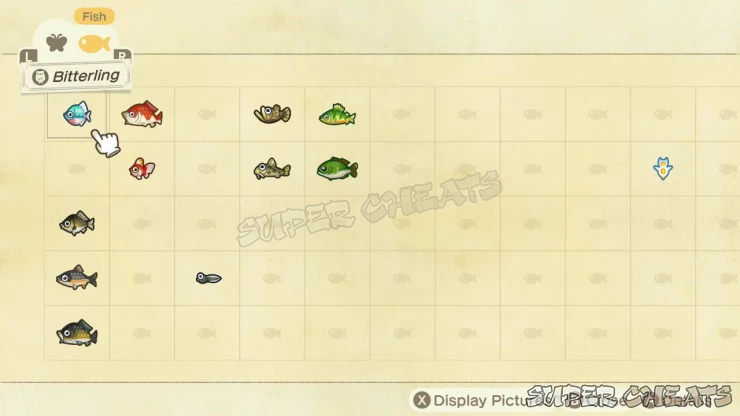
Fish Page
Checking their details will provide you with the following information: Seasonality, Current Active Hours, Location, as well as Donation Status to the Museum.
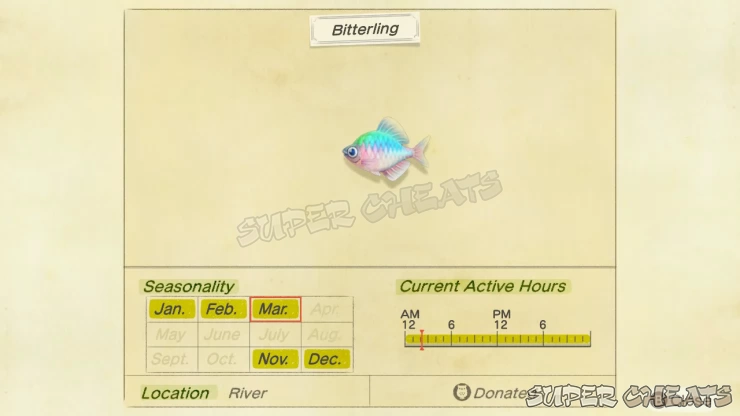
Fish Details
Anything missing from this guide?
ASK A QUESTION for Animal Crossing: New HorizonsComments for Critterpedia
No comments yet. Tell us what you think to be the first.
Table of ContentsClose
- Basics
- Nook Phone
- Facilities
- Compendium
- Tools and Resources
- Holidays
- Frequently Asked Questions (F.A.Q.)
 Join us on Discord
Click to close

