Dragon Raja Level Up Guide
Thank you for printing this page from www.SuperCheats.com.Remember to come back to check for updates to this guide and much more content for Dragon Raja
Last Updated:
What’s the best way to earn EXP in Dragon Raja? A lot of the game’s contents and features get unlocked as you progress through your levels. Aside from this, your current level will also determine your character’s strength as you get more skills at higher levels.
In this guide, we’ll discuss different ways that you can do in order to level up your character. Leveling up requires EXP so you will need to know how to get them.
Play through the Main Story
The main story of the game can only be done on solo; therefore, this is one of your primary methods of gaining EXP. You can view your quests from the main screen by looking at the upper right section of the game.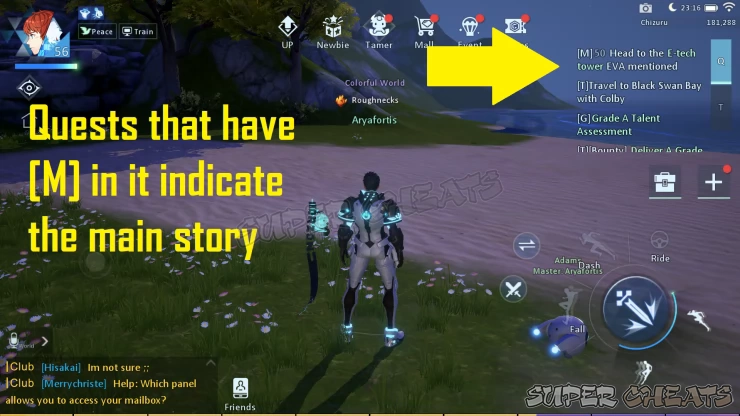
Quest Log
Pressing the Q portion will show your Main quests, you can press the quest to trigger Auto Find in order for you to progress easily. Sub quests can also be shown in this section.

Story Event
As you reach near level 50 and above, you’ll gain access to Combat Assist. This lets you set up some skills that you can use automatically. During a battle, press the Sword icon that’s on the left side of your skills. You can then let the game attack for you while doing the story.

Combat Assist
Whenever you finish story related tasks, you’ll gain EXP. Keep continuing your story line until you reach a point where your current level cannot progress. This will mean that you’ll have to strengthen your character to continue.

EXP Rewards
Participate in Events
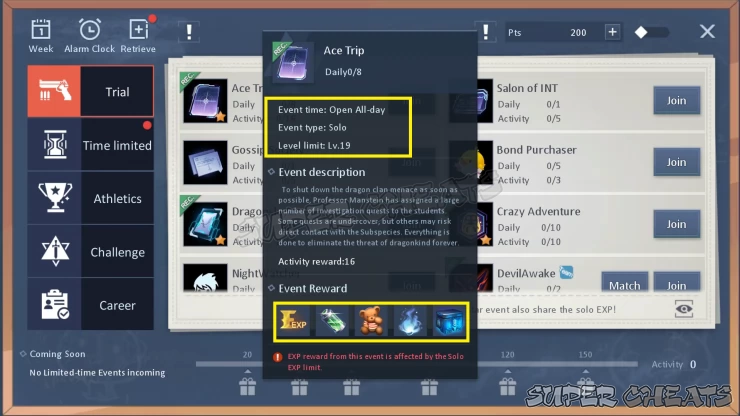
From the main screen, you should see the Event button on top. Different ongoing events will be available for you such as Trial, Time limited, Athletics, Challenge, and Career events. These are considered as your dailies, and they provide you with exp and other rewards as well.
Event
If you check the details of each event, you’ll see that there’s a Daily limit. You can check the details of each event by clicking on its icon so you’ll know the level limit as well. The list of rewards is shown below, and EXP is one of them.
Event Details
Join as much events as you can each day, completing the events all together will provide you with a huge exp amount that will be good for leveling up. Once you have completed an event for the day, it will be removed from the list so you can then choose other events.

Event Completion
Improve your Career
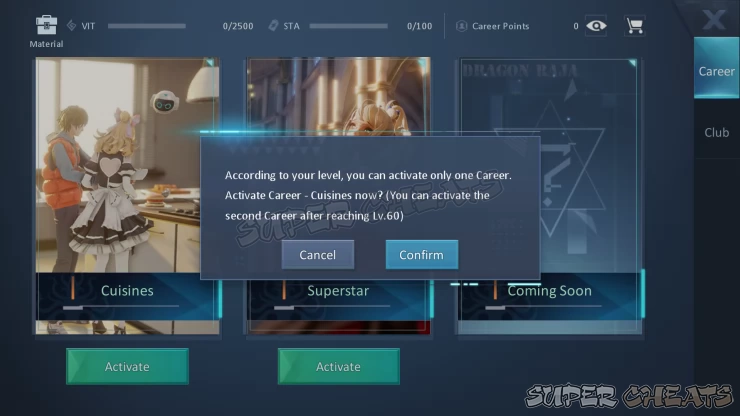
Once you reach level 40, you’ll unlock Careers. Press the + button on the right side of the screen and choose the Career Option. As of the moment, you can choose careers related to cooking and being a superstar.
Career Section
When starting a Career, you can choose one first. Your second career can be activated once you reach level 60, therefore you'll get more options for obtaining EXP.
Career Options
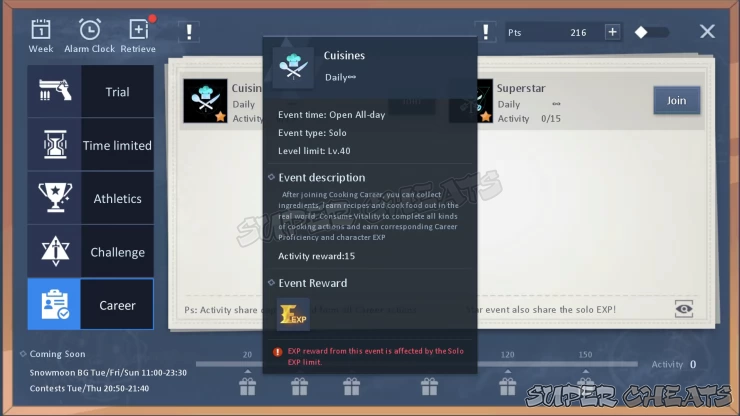
You can check your Career quests through the Event button as well. You’ll see that improving your career doesn’t have limits, so this is a good way for you to gain exp.
Event Quest
Recruit Allies and do Bounty Quests
Once you have reached level 35 and above, you’ll get access to the Ally system. Here, you can recruit NPCs as part of your team, you can send them on Bounty quests and they can gain EXP for you.
Ally Section
When you open the Ally section, head to the Bounty area on the lower right side. You can then press the Dispatch button and send your Allies. Once they are sent, you will have to wait for them to return. They’ll provide rewards based on the list that’s given on the middle.
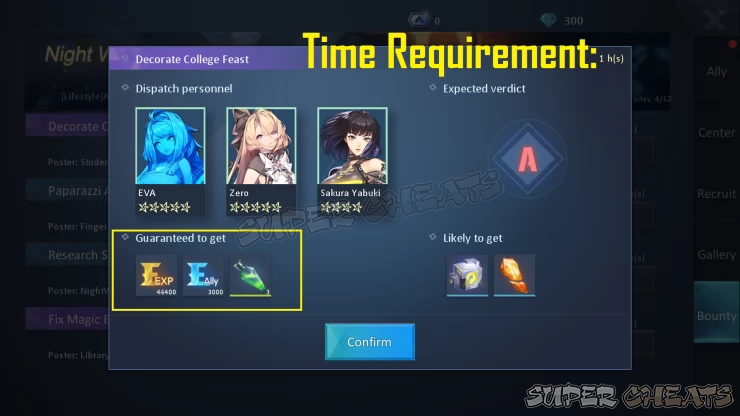
EXP Rewards
We have questions and answers related to this topic which may also help you:
Anything missing from this guide?
ASK A QUESTION for Dragon RajaComments for Dragon Raja Level Up Guide
No comments yet. Tell us what you think to be the first.
Table of ContentsClose
- Basics
- Character Management
- Item Management
- Ally System
- Career System
- Frequently Asked Questions (F.A.Q.)
- Quiz Guides
 Join us on Discord
Click to close

