River View (New Town)
The Sims 3 Walkthrough and Guide
The Sims 3 Guide - Sunset Valley
River View (New Town)
While you can't currently begin a new town from scratch, and the Edit Town tool is limited by patches of uneditable terrain (these areas are not assigned to lots, so therefore cannot be altered), EA have released a new town called River View.
Downloading it is not as simple as it perhaps should be.
First, go to www.thesims3.com
Click the Create an Account link and register your game. Note that you will need your game's serial number to do this (those who have downloaded the game should have River View already).
You should then be given Sim Points to spend in the game's store, so head there using the navigational buttons on the website and download the River View map.
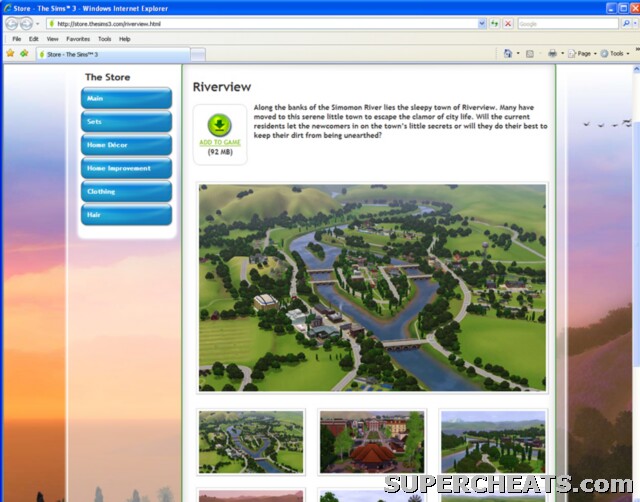 Download an extra town |
Need some help with this game? Or can you help others?
Click below to go to our questions page to see all the questions already asked and ask your own.More Sims 3 on SuperCheats.com


I have it all downloaded and stuff but it won't show up anywhere and if I try to move to a new town, it will say I have no towns to go to. Also on the main menu I want to choose it but it won't show up! I need professional help!!! Immediately!!!!
Yessss It worked
How do u move to towns on Sims 3 Xbox 360
Yay, Now i got Riverview! And to those who say that this isnt easy, You Just goto TheSims3.com then go to the store and search for riverview then click download... It will open up the SIms 3 then download it.
argh
i didn't have a paswoord in ther so i cannot add to game :(
How to have a plant's vs zombies peashooter in supernatural expansion pack? Can you help me. [img][/img]
Wat is persona
I downloaded it and it's awesome!!!!!
this mini instructional guide sucks, you are under CHEATS.... if your not going to post cheats that is one less visitor of this site for you.[spoiler][/spoiler]
Does anybody know a site with different towns to download?
Some corrections, first corrections is that Riverview is free. You only need to register your game and then update it to download. If you haven't updated your copy of The Sims 3 do this before downloading or else it won't work. Second, registering the game allows the download. If you don't have the game the download would damage your computer. This is answering a few questions asked by multiple users.the registration will prove that you have the game. This also allows you to download bonus content to the game.
Pkmnman1345
why need to register? why need SimPoints? is Free Town
i have register the game, but won't work, so what i going to do?
my serial code wont wotk!!!!!!!!!!!! [size=12][size=12][size=12][size=12][size=12][/size] [/size] [/size] [/size] [/size]
i cant install it because i need to update my game huhuhu..