Resource Rooms
Thank you for printing this page from www.SuperCheats.com.
Remember to come back to check for updates to this guide and much more content for Fallout Shelter
Follow this guide to hear about updates
Last Updated:
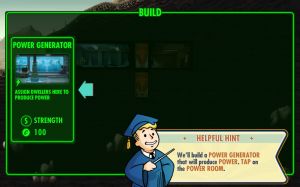
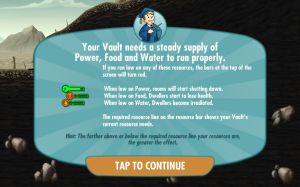
In Fallout Shelter, you'll need to manage three resources: Power, Food, and Water. Your Dwellers need Food and Water to survive. Your whole Vault needs power to function properly. You need to build these resource-generating rooms and assign people to operate them. If you run low on resources, the bars at the top of the screen will turn red.
Each room has a maximum number of people working in them. This can be increased by merging rooms and upgrading them. To know the room's capacity and how many people are assigned in the room, select the room or a dweller inside that room tap the clipboard icon in the lower right corner of the screen.
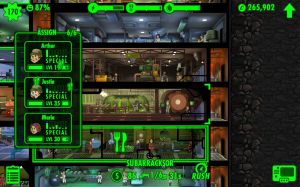
You can assign dwellers to rooms by dragging them. The letter above their head corresponds to the SPECIAL stat associated with that room. If the number listed has a plus or minus sigh, it means that dragging a dweller in that room will replace a dweller that's currently working on a room.
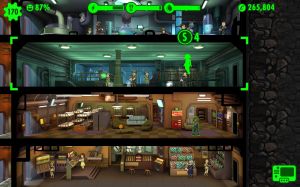
The Dweller's effect on that room will go up or down whatever the number is. When a Dweller is replaced this way, they switch jobs with the Dweller being moved. If there is no plus or minus sign, it means there's no room for the Dweller to work in the room without replacing any Dwellers.
Anything missing from this guide?
ASK A QUESTION for Fallout Shelter
Comments for Resource Rooms
Add a comment
Please log in above or sign up for free to post commentsNo comments yet. Tell us what you think to be the first.
Table of ContentsClose
Guide Updates
Get notified of updates to this guide
Many of our guides get updated with additional information. To get an email when this guide is updated click below.
 Join us on Discord
Click to close

