Unit Promotion Guide
Thank you for printing this page from www.SuperCheats.com.Remember to come back to check for updates to this guide and much more content for Fire Emblem Engage
Next Page
Where to get Master Seals and Secondary Seals?
Previous PageIron, Steel, and Silver Ingots Farming Guide
Added:
Keeping your units combat ready is an integral part of the game and will determine how hard your encounters will be. This is why constantly training and improving your units is practically a requirement in order to progress through the game. In our Unit Promotion guide, we will discuss the process and considerations on promoting your units and why it is highly recommended to do it.
Fire Emblem Engage is a latest installation for the critically-acclaimed Fire Emblem series, offering a fresh approach to the tried-and tested tactical, turn-based JRPG formula fans have seen in recent years. Players are treated with the return of the Triangle System, weapons with no durability, and of course, the fresh new Emblem/Bond Ring mechanic.
Unit Promotion
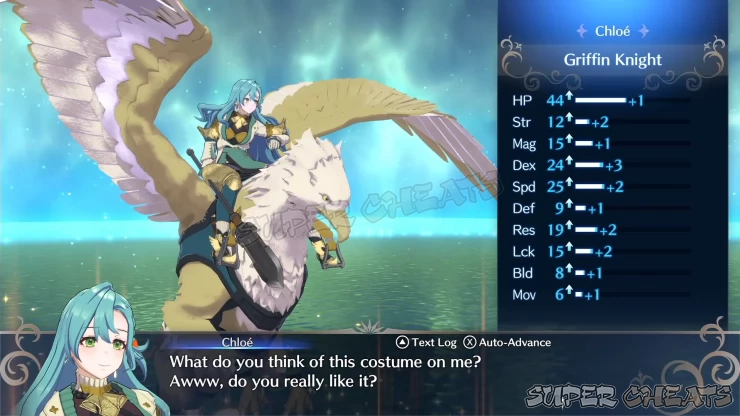
Master Seals are required items to promote a unit to their Advanced Class. Advanced classes can either be powerful versions of a unit’s current class or a different class entirely, as long as the required weapon proficiencies or pre-requisite jobs are met. And promotion to advanced classes are actually required to progress through the much challenging battles later in the game since default base classes only have a level cap of 20. This means unless you promote a unit, he/she will be locked in that level without any chance of growth.After promotion, the unit will get a significant stat increase, which will be further complemented by further level ups. Additionally, advanced classes have access to class-specific skills that further improves their repertoire, especially if you consider the benefits of adding inherited and emblem skills as well.
To promote a unit, follow these steps:
1. You must have at least one Master Seal in your inventory and a high level, Base Class character (At least LV15 is a good start)
2. Next, open your main menu then select the Inventory option.
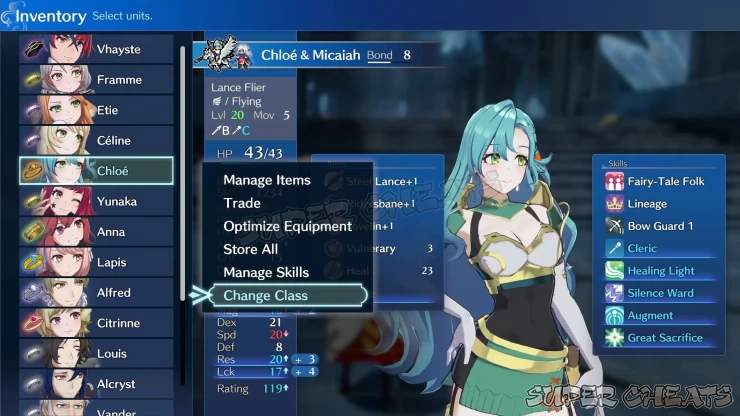
3. Select the character you want to promote then select the Change Class option.
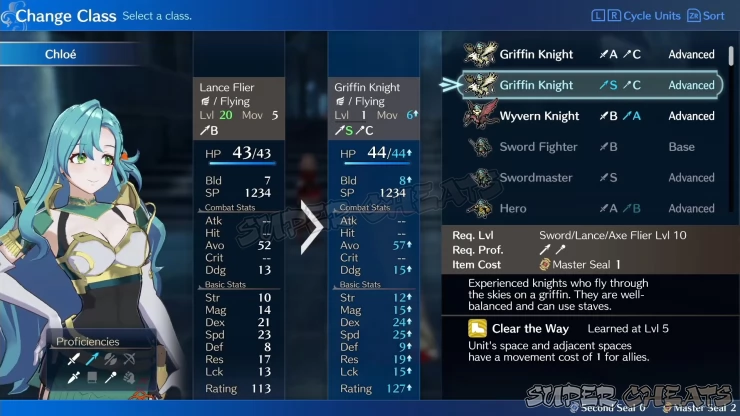
On the following screen, browse through the available classes available for the character. Selecting the advanced version of their current class is always a safe choice but don’t hesitate to select other classes if you wish to. Just consider playing around the unit’s strengths and personal skills to get the most out of their abilities. For example, low def and HP units like mages can be turned into heavily armored units with some work and effort but it doesn’t really do them justice because their main strengths are not put into play.
Level Reset
We’re leveling up units and promoting them to make them stronger so why would we want to reset their levels back to LV1? The answer is growth. Even after promotion, units will eventually hit their level cap in their Advanced Classes. Resetting their level back to LV1 will retain their class and stats while gaining the ability to continuously level up (increasing their stats even further.To reset a unit’s level, do the following steps:
1. Have the unit reach his/her max level in the Advanced Class.
2. Have at least one Second Seal in your inventory.
3. Open your main menu then select the Inventory option.
4. Select the character you want to reset the level then select the Change Class option.
5. Simply select the same class again to retain the class and current stats, and the unit’s level will reset to LV1 without any detrimental effects.
Lateral Class Change
Units only need to get promoted once; after maxing out the level of their current advanced class, they can use a Second Seal to change to another Advanced Class as long as they meet the requirements. If they need to change into base classes as pre-requisite for specific advanced classes, they can do so, and turn into those advanced classes without using another Master Seal.This concludes our Unit Promotion Guide for Fire Emblem Engage. Please check out our other pages for the game for more Fire Emblem Engage content!
Next Page
Where to get Master Seals and Secondary Seals?
Previous PageIron, Steel, and Silver Ingots Farming Guide
Guide Menu
Anything missing from this guide?
ASK A QUESTION for Fire Emblem EngageComments for Unit Promotion Guide
No comments yet. Tell us what you think to be the first.
Table of ContentsClose
 Join us on Discord
Click to close

