Michael's Zombies Tips and Codes to get Free Rewards
PC, ROBLOX
Last Updated: by Team SuperCheats
We have Michael's Zombies admin codes which you can input into the game to alter it in the corresponding manner.
Michael's Zombies codes to claim free rewards
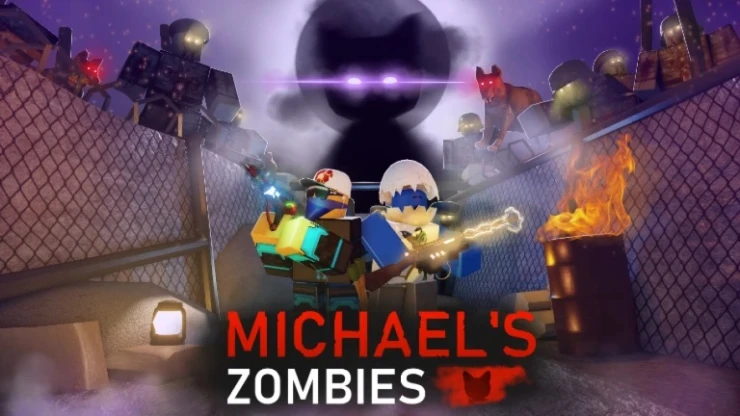
Michael's Zombies is a wave-based zombie survival FPS game on Roblox. Your objective is to survive the wrath of an opnipitant feline antagonist called Michael who has placed you inside his Zombies pocket dimension because he is displeased with you. Input Michael's Zombies codes when they become available to get free rewards which will help you to stay alive.

Roblox Redeem Codes
Discover which other Roblox codes have been checked and updated recently.
All Michael's Zombies Codes
We've checked the codes during the last update of this page and there are currently none available that you can redeem for rewards.
- There are no codes.
- Expired Codes
- There are no expired codes
How to redeem Michael's Zombies codes?
Unfortunately, there are no active codes for this game right now. Instructions on how to redeem codes will be added here as soon as a redemption function has been implemented into the game.
Michael's Zombies Admin Commands
Listed below are the admin commands you can input into the game to alter it in the corresponding manner. To use admin commands you need to press the '~' (tilde) button on your keyboard and type them into the console that appears. If you have entered the admin command correctly you will get the effect of the chosen command.
- god PlayerName - Gives infinite health and immunity to damage to the chosen player.
- ungod PlayerName - Removes the god effect.
- set_health PlayerName 1000 (the number you want) - Changes the health value of the selected player.
- give_notarget PlayerName - Makes zombies ignore the selected player.
- remove_notarget PlayerName - Removes the notarget effect.
- give_gun PlayerName Gun ID - Gives the desired weapon to the selected players.
- give_points PlayerName 1000 - Sets the points of the selected player to the number you choose.
- set_shootbuff PlayerName 10 - Increases the bullet output of your weapons.
- set_round 5 - Sets the round you selected.
- set_map MapName - Sets the desired map.
- kill/explode/reset PlayerName - Kills the target player.
- kick PlayerName reason - Kicks the target player. You must write the reason for this.
- Ban PlayerName reason - Bans the target player.
- unban PlayerName - Unbans one of the banned players.
- give_perk PlayerName PerkName - Gives the chosen perk to the selected user.
- give_equipment PlayerName EquipmentName - Gives the chosen equipment to the selected user.
- give_melee PlayerName WeaponName - Gives the chosen melee weapon to the selected user.
- set_equipmentQuantity PlayerName 90 - Sets your equipment value to the selected number. Also, this command can be used on other players.
- give_noclip PlayerName - Removed in version 1.6.2.
- remove_noclip PlayerName - Removed in version 1.6.2.
- give_freecam PlayerName - Removed in version 1.6.2.
- remove_freecam PlayerName - Removed in version 1.6.2.
- set_clip PlayerName 1 - Removed in version 1.6.2.
- set_clip PlayerName 2 - Removed in version 1.6.2.
Helpful Michael's Zombies Links
There are various social accounts to keep up to date with the latest developments and codes related to the game, here are the links.
- Roblox Group - Here is the link to the game's Roblox Group: Michael's Zombies Roblox Group.
- Discord - Get help with the game on the Discord page.
- YouTube - Take a look at the official YouTube channel.
- RoMonitor - Get the latest stats about the game on the Michael's Zombies page.
If you are happy with our page and found our article useful, please consider bookmarking us so you remember to find us again in the future for more Roblox game codes for this game and others.
If you want some more free rewards you may also be interested in these Roblox games that have also recently had some code updates:
Have a question for Michael's Zombies?

