Roblox Guts & Blackpowder Tips and Codes to get Free Rewards
PC, ROBLOX
Last Updated: by Team SuperCheats
Our Guts & Blackpowder admin commands guide will help you create a private server.
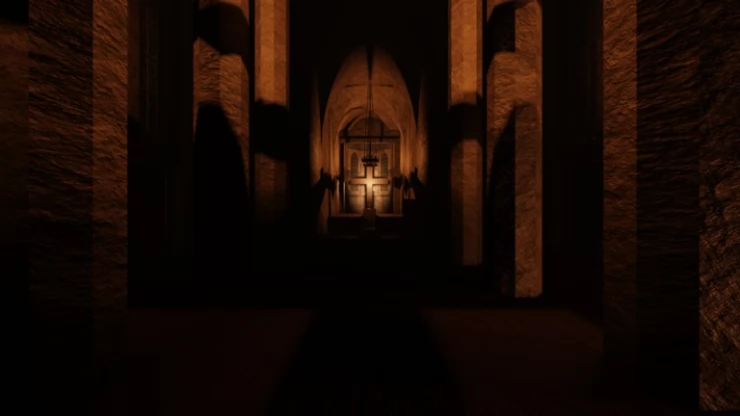
Roblox Guts & Blackpowder codes to claim free rewards
Guts & Blackpowder is a Roblox horde shooter taking place during the Napoleonic Wars. The dead have risen, and a small company of soldiers armed with 18th-century armaments must hold their ground against the walking dead in the hope of rescue. Enter codes when they become available to get free rewards to help you survive.

Roblox Redeem Codes
Discover which other Roblox codes have been checked and updated recently.
All Guts & Blackpowder Codes
There are currently no codes available that you can redeem for rewards.
- There are no codes.
Expired Codes
There are no expired codes.
How to redeem Guts & Blackpowder codes?
Unfortunately, there are no codes for this game right now. Instructions on how to redeem codes will be added here as soon as a redemption function has been implemented into the game.
Guts & Blackpowder Admin Commands Guide
Listed below in the 'Admin Commands' section are all the admin commands you can use in the game. These commands are only available to admins, to become one you need to create a private server. Once you have done this you can use any of the admin commands in Guts & Blackpowder by following these steps:
- Open the game chat.
- Input the desired Command.
- Press the 'Enter' button on your keyboard to activate it.
There are some admin commands that directly affect players. However, you can partially select who will be affected by your actions using these tags:
- @a - The command will affect all players on the server, including you.
- @m - The command will only affect you. Use only for Teams that, by default, affect all players.
- @o - The command will affect all players on the server, including you.
Admin Commands
- /class (class) (username) /changeclass (class) (username)
- /emperor (username) /changemperor (username) (emperor)
- /nation (nation)
- /classlimit
- /minigun (username)
- /give (username) (tool) /giveitem (username) (tool)
- /forcemap (map) (gamemode) /map (map) (game mode)
- /spawn (zombietype) (amount) /summon (zombietype) (amount)
- /togglefreezing
- /togglez
- /regional
- /worldwide
- /callescape
- /skipobj /skipwave (wave#)
- /hardcore /preparetodie
- /breaklegs (username) /break (username) /immobilize (username)
- /cannontk /cannonfight
- /bring (username) /teleport (username) /getoverhere (username) /grab (username)
- /restore (username)
- /respawn (username)
- /to (username) /gooverto (username)
- /kill (username)
- /ff /fighting /fight
- /ping
- /hide
- /info
- /bigserver
- /krisface (username)
- /mute (username)
- /kick (username) (reason)
- /console
- /tempban (username) (reason) (time) /ban (username) (reason)
Change the player's class.
Change the player to the chosen emperor.
Change the player's nation.
Toggle the class limit.
Give a minigun to the player.
Give a specific item to the player.
Choose a map and game mode without a vote
Spawn zombies.
Enable the Cold effect.
Toggle zombie spawning.
Lock choosing any nation on a map.
Allow choosing any nation on a map.
Set the last objective on Berezina. Also, it turns on Frezy mode.
Skip current objective or wave.
Enable Hardcore Mode.
Break the legs of the chosen players.
Enable teamkilling and a friendly fire cannons.
Teleport another player to you.
Respawn a player in their current spot.
Respawn a player at the beginning.
Teleport to another player.
Kill the chosen player.
Enable friendly fire.
See the current ping.
Disguise your player's name.
See info about the players on the server.
Increase the server player limit up to 100.
Change the chosen player's face to ':3'.
Mute players.
Kick a player from the server.
Open the Console.
Ban a player.
Helpful Guts & Blackpowder Links
There are various social accounts to keep up to date with the latest developments and codes related to the game, here are the links.
- Roblox Group - Here is the link to the game's Roblox Group: Guts & Blackpowder Roblox Group.
- Discord - Get help with the game on the Discord page.
- RoMonitor - Get the latest stats about the game on the Guts & Blackpowder page.
If you are happy with our page and found our article useful, please consider bookmarking us so you remember to find us again in the future for more Roblox game codes for this game and others.
If you want some more free rewards you may also be interested in these Roblox games that have also recently had some code updates:
Guts & Blackpowder FAQ's
Can you help answer any of these questions?
| Can you make a command when we get eaten by shambler can you make us turn into shambler (only for .. |
Have a question for Guts & Blackpowder?

