The Sims 2 Pets PSP Cheats and Tips
Last Updated:
We have a collection of cheats that includes gettiing quick money, alien abduction, and Cheat Gnome cheats that allow you to advance time 6 hours and give Sim Pet points.
More The Sims 2 Pets PSP Cheats and Tips
We have 16 cheats and tips on PSP. If you have any cheats or tips for The Sims 2 Pets please send them in here. We also have cheats for this game on : Nintendo DS : PC : Gameboy Advance : PlayStation 2
For more Codes for The Sims 2 Pets go to:
The Sims 2 Pets Action Replay Codes
You can also ask your question on our The Sims 2 Pets Questions & Answers page.
All The Sims 2 Pets PSP Cheats and Tips - Most Popular First
Monkey Paw
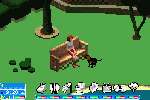
Sit on a bench at the town square and press X and Select 'Search Bench'. If you do this several times you will find the Monkey Paw (this will also work if you buy a sofa and select 'Search Sofa').
Cheat Gnome and Monkey Paw
When you are at home or on a lot press L(2), R, X(2), Up and then enter one of the following codes to enable the corresponding effect in the game.
Pet Points:
Enable the 'Cheat Gnome' code and during gameplay press Triangle, Circle, X, Square, L, R. A 'Pet Points' option will then appear on the Cheat Gnome.
Advance Time 6 Hours:
Enable the 'Cheat Gnome' code and during gameplay press Up, Left, Down, Right, R. An option to advance time by six hours will now appear on the Cheat Gnome.
Get 10,000 Additional Simoleons:
Enable the 'Cheat Gnome' code and during gameplay press Up, Left, Down, Right, R. An option will then appear on the cheat gnome to advance time by six hours. Select the Cheat Gnome and then cancel the selection and press Up, L..
The way to get money, fast. I have tested this.
Everyone says there is a "Cheat Gnome". There is no such thing, so don't waste your time on what you think looks like Shifty Sam the Garden Gnome. All of these things have been tested, and they do work. The "Cheat Gnome" is really this white trophy pedestal/podium thing, with a white plumbob on top. (Plumbobs are the little green diamond things over the Sims' heads.)
To get the "Cheat Gnome", go to the Town Square, with or without your pet(s). Press L, L, R, X, X, Up. Go Up by using the top button on the D-Pad. D-Pad is arrow buttons that are like this. >
Quick money
1. Edit a family that has 20000 simileons or more. Make it so only one sim is in the family, no pets, just him/her.
2. Then go enter the house of the family you want to be rich.
3. Find the sim (the one you just recently edited the family of).
4. Get a relationship of 80 or higher with them (just do joke, apoligize, joke, etc.)
5. Keep on inviting them over, asking them to move in, and then moving them out until you have the disired amount of simileons.
I have 200,000 myself and I have never had to work again. I call this the M.I.M.O Process.
All Cheats
Cheat Gnome:During a Game Press L,L,R,X,X,Up, Now You Can Enter The Following Cheats
Advance Time 6 Hours: During a Game Press Up,Left,Down,Right,R,
Give Sim Pet Points: During a Game Press /,O,X,[],L,R,
$10,000: During a Game Press /,Up,left,Down,Right,
Cheat Gnome
Do the cheat gnome in the town. For the cheat gnome, press L(2), R, X(2), up. The cheat gnome is near one of the bathrooms. If you press triangle, up, left, down, right, then you get 10,000 simeleons when you select it on the cheat gnome.
I'll tell you when I find out more.
Hope I helped!!!
Yoshilover2
The cheats of sims 2 pets psp are finnaly here!!!
Hello I disocovered these cheats here they are the cheat gnome is LLRxxup then when it's active you do these during gameplay petpoints:triangle circle x square L R thts the pet points cheat you get them from cheat gnome and then the advance 6 hrs cheat up left down right R and the simoleon (money) triangle up left down right R thts all the cheats I know and supercheats plz post this on the cheats section if you open one thnx
Cheat Gnome and other cheats that YOU MAY DO with the gnome!
Before you do get money cheat and etc., you must do the Gnome Cheat first.
Cheat Gnome :
- L, L, R, X, X, Up
Pet Points Cheat :
- Triangle, Circle, X, Square, L, R
Money Cheat :
-Triangle, Up, Left, Down, Right [Remember to do it infront of your mailbox! ;)]
Advanced Six Hours
-Up, Left, Down, Right, R
Monkey Paw
-Buy a sofa for your house and sit on it then 'Search Sofa'. If you also go to Town Square, sit on a bench and 'Search Sofa'! Then you will have Monkey Paws!!! :D
THANK YOU VERY MUCH!
I do cheats
L,L,R,X,X,UP it makes a statue come up in the main place but you have to be inside your house then do the cheat then go to the town square then across from were you spawn there will be a statue and when you press X on it it will give you choices to crazy on them  thanks to another cheat website I found this and it works you can't tell when it does but it will work
How to get money by duplicating.
Ok, first, buy 1 dog frisbee. Then, go home. Give your dog the frisbee. MAKE SURE HE PUTS IT DOWN. Then, press "play fetch..." and press frisbee. Notice you take out one, and the other ones still on the floor! Put away both. You now have two frisbees! And now you can keep duplicating, and selling!!! I made lots with this. This was discovered totally by accident! Have fun cheating!
Minature zebra
When creating a pet choose a straight dog and give it the stripe design and then make the dog white and the stripes black and the dog will look like a little zebra
Can't you get the cheat gnome?
instead of going to your own house and doing the cheat for the gnome, all you need to do is go to the market and do the cheat their the gnome will appear near the right,top hand toilets.Carry on entering your cheats!
10,000 Dollars
During a game press triangle, up, Left, down, right.
Alien Abduction
Use the monkey paw trick. Buy a telescope at the "Buy" menu and select it. Choose the "Stargaze" option. Note: The "Spy" option will not work. Suddenly a light will appear from the sky and your Sim will be abducted. A few hours later, the Sim will return. Note: If that Sim has a job, do this on Saturday or Sunday to avoid missing work and getting fired!!! =]]]
~ Fire Wolf ~_^
Money Hint!!!!
Okay first you need to have a girl or boy in your family and you... Raise up your relationship with her until you can puprose to her or him....buy a wireless phone at the buy menu... Place it anywhere on the wall... Then move her or him out of the house... Once you moved her out, call her or him and invite her.. Then Ask to move her or him in and tada! 20.000 Simoleons is added in your bag...
How do you use the cheats for the game
How do you use the cheats for the game
The Sims 2 Pets FAQs
We have 307 questions and 640 answers for The Sims 2 Pets. Check them out to find answers or ask your own to get the exact game help you need.
| How do you find Elza after you find the second penguin? I've found the second penguin but now can't find Elza to give .. |
I am playing also that game right now. In the forums they say that Elsa is in the bungalow. (blue house that you can rent). However I can't also find her. Idk if we have to be there a specific time or something... If you find her, please respond to these message. |
| Can you have relationships in this game? |
No you cannot but you can be social with other sims |
| When and where do I find hugo to give him a slice of pizza? |
At the bungalow |
| I hit store on MY pet in sims 2 pets but now I can't find him and I don't know what it did |
OK first go on your sims computer then click inventory click through your sims inventory till you find your pets name! Hope this helped you... |
| Can I get more than one pet on the sims 2 pets ds? If I can can you give me a step by step please? Thanks |
You can get another pet, but you can't keep it. Like: If a person has lost a pet, they go to you because you have to find it for them. So once you've found it, you keep it until you can find the person again |
Can you help answer any of these questions?
| Is freaking not working |
| I bought dog bed but can't give them to the dogg ? It.. |
| Where can I mostly find Marcellus in sims 2 GBA? |
| How do you move funiture? |
| How to get a reffral |
Have a question for The Sims 2 Pets?
The Sims 2 Pets Walkthroughs
We have 2 Walkthroughs for The Sims 2 Pets.
Check out our walkthroughs which includes an item guide if you need help with the game.
By warfreakFAQ/Walkthrough (GBA)
By NefertariNamiItem Guide (DS)
Click here for all walkthroughs
The Sims 3 Getting Started Guide
A complete guide to The Sims 3, covers getting started and finding your way around Sunset Valley, ..
Top pages for this game

