Roblox Work at a Pizza Place Tips and Codes for Free Rewards
ROBLOX, PC
Last Updated: by Team SuperCheats
We have Work at a Pizza Place tips that will help you progress and make the game more fun.
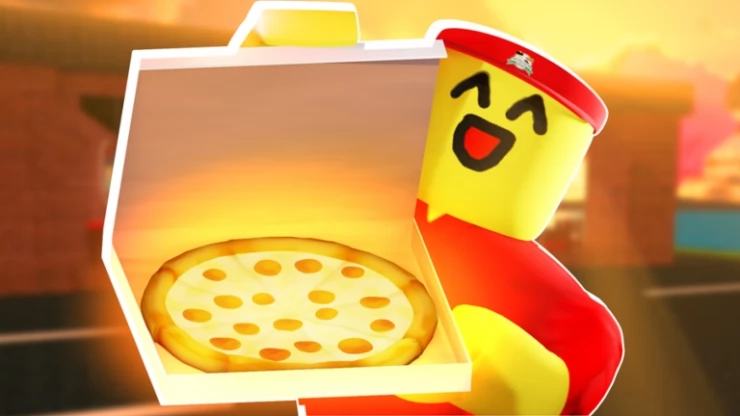
Roblox Work at a Pizza Place codes to claim free rewards
Work at a Pizza Place is a Roblox game where you work as a team to fulfill food orders. There are six jobs that you can choose from: Cashier, Cook, Pizza Boxer, Delivery, Supplier, and Manager. Use your work earnings to upgrade your house and buy furniture. Enter codes when they become available to help make the game more enjoyable.

Roblox Redeem Codes
Discover which other Roblox codes have been checked and updated recently.
All Work at a Pizza Place Codes
There are currently no codes available that you can redeem for rewards.
- There are no active codes.
- Expired Codes
- There are no expired codes.
How to redeem Work at a Pizza Place codes?
The redemption function for Work at a Pizza Place has been deactivated by the developer. Instructions on how to redeem codes will be added here as soon as it becomes available again.
Work at a Pizza Place Tips
- How many jobs are there in Work at a Pizza Place?
- How do you take a break in Work at a Pizza Place?
- When can you take a break in Work at a Pizza Place?
- How do you remove a manager in Work at a Pizza Place?
- Get 8 votes to be removed by the other players.
- Step on the 'Vote to Remove Manager' button.
- Get kicked out of their job due to a glitch.
- Click the 'Quit my Job' button.
- Leave the server.
- How do you claim the manager job once a manager has been removed in Work at a Pizza Place?
- Is there a tutorial on how to play the cashier in Work at a Pizza Place?
- When does the conveyor that leads into the boxing room reject an item in Work at a Pizza Place?
- It is not a pizza or a Fizzly soda.
- It was not ordered and/or displayed on the order screen.
- It lacks the required ingredients.
- It's gone cold.
- It's been burned.
- It has bugs on it.
- It's not cooked.
- How does the cook put out a burning pizza in Work at a Pizza Place?
- Is there a tutorial on how to play the cook in Work at a Pizza Place?
- Is there a tutorial on pizza boxing in Work at a Pizza Place?
- Is there a tutorial on how to play the delivery role in Work at a Pizza Place?
- Is there a tutorial on how to play suppliers in Work at a Pizza Place?
- How do you customize your home in Work at a Pizza Place?
- How do you earn coins in Work at a Pizza Place?
- Starter Check (500 coins - can only be obtained once)
- Daily Check (200 coins, 400 with VIP)
- Paycheck (Twice an in-game day, once in the daytime and once in nightfall)
- Bonus Check (150 coins, given by the manager)
- Uncashed Paycheck (If the player leaves without claiming the standard check)
- Secret Island Chest (1500 coins - can only be obtained once)
- Microtransactions
- Selling unwanted items
- Moneybag (maximum 2000 coins, each coin gives 200)
- What are Zoobers in Work at a Pizza Place?
In total, there are six jobs - manager, cashier, cook, pizza boxer, delivery, and supplier.
You can take a break by entering your own house or another player's house. After doing so, you are automatically placed on the 'On Break' team and will be switched out of your work clothes.
You can take breaks whenever you please but keep in mind you won't receive pay since you're not working.
In order for a manager to be removed, they must either:
To claim the manager job you must sit in the black office chair behind the manager's desk. The manager's office is located by the delivery room door, in the pizza boxing area.
Cashiers must take orders from customers who either take the appearance of pre-made NPCs or of players in the server. You can access a cashier tutorial by pressing the yellow button near the drive-thru window. This tutorial can be played anytime.
This will happen because one of the following reasons:
Grab the extinguisher found right next to the door leading out into the cashier area by pressing the 'E' button on your keyboard or by clicking on it and continue holding the right mouse button while facing the pizza until the sound of the fire going out is made.
Cooks work in the kitchen area of the pizzeria, which is located just behind the cashier area. They fulfill orders shown on the whiteboard just above the preparation area. You can access a cook tutorial by pressing the yellow button near the ovens. This tutorial can be played anytime.
Pizza Boxers are responsible for taking pizzas and Fizzly cans from the kitchen and boxing or placing them onto the correct conveyors, the boxing area is located right outside the manager's office. You can access a pizza boxing tutorial by pressing the yellow button in front of the box prep table. This tutorial can be played anytime.
Delivery drivers are responsible for delivering the boxed pizzas and Fizzly drinks to the correct houses or player. You can access a delivery tutorial by pressing the yellow button near the locker. This tutorial can be played anytime.
Suppliers are responsible for transporting the pizza ingredients, boxes, and sodas from the warehouse to the pizzeria using large trucks in order to keep resources available. You can access a Suppliers tutorial by pressing the yellow button just in front of the buttons. This tutorial can be played anytime.
You can customize your home by buying furniture from the catalog, and using in-game coins thyou earn from completing your jobs.
The only currency used in the game is coins and they can be obtained the following ways:
Zoobers are pets which can be purchased for 7,000 coins. You can have a maximum of three Zoobers active.
Helpful Work at a Pizza Place Links
There are various social accounts to keep up to date with the latest developments and codes related to the game, here are the links.
- Roblox Group - Here is the link to the game's Roblox Group: Work at a Pizza Place Roblox Group.
- RoMonitor - Get the latest stats about the game on the Work at a Pizza Place page.
If you are happy with our page and found our article useful, please consider bookmarking us so you remember to find us again in the future for more Roblox game codes for this game and others.
If you want some more free rewards you may also be interested in these Roblox games that have also recently had some code updates:
Got a cheat or hot tip for this game? Found a secret, or a strategy for success?
How to Move Furniture in Roblox Work at a Pizza Place
One of the things you will need to know how to do while playing Roblox Work at a Pizza Place is how to move furniture. This is not explained when you start playing the game, and for some players this is not easy to figure out. This Roblox Work at a Pizza Place guide will explain to you how it is done.
Selecting and Moving
In order to move furniture around in Work at a Pizza Place you must first be in your home, you will not be able to move furniture anywhere else other than there. If you go to your 'Inventory' menu once you are inside your home you will see a red X. Click on the red X, so you select it. Then once selected, click on the piece of furniture you want to move. Doing this will place the selected piece of furniture back in your inventory and from there you will be able to select it and choose the 'Placement' option.
Rotating and Placing
You will now be able to find a new place for the piece of furniture you want to move, you will also be able to rotate the item. To rotate it in different directions, you press the R button on your keyboard. Once you are happy with the placement of the piece of furniture, you need to click your mouse button to confirm.
Selecting and Moving
In order to move furniture around in Work at a Pizza Place you must first be in your home, you will not be able to move furniture anywhere else other than there. If you go to your 'Inventory' menu once you are inside your home you will see a red X. Click on the red X, so you select it. Then once selected, click on the piece of furniture you want to move. Doing this will place the selected piece of furniture back in your inventory and from there you will be able to select it and choose the 'Placement' option.
Rotating and Placing
You will now be able to find a new place for the piece of furniture you want to move, you will also be able to rotate the item. To rotate it in different directions, you press the R button on your keyboard. Once you are happy with the placement of the piece of furniture, you need to click your mouse button to confirm.
Roblox Work at a Pizza Place FAQ's
Can you help answer any of these questions?
| How do you move furniture? |
| How do you get more money |
Have a question for Roblox Work at a Pizza Place?

