Controls & Basic Movement
The Legend of Zelda: Twilight Princess Walkthrough and Guide
by SPV999
Zelda: Twilight Princess Guide - Controls and Basic Movement
 |
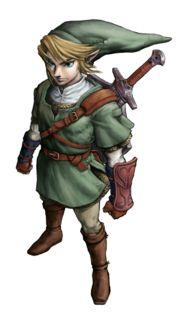
Human
 Link |
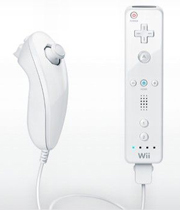
Wii Remote
A – Special actions (climb, push, jump attack)
B – Item slot
D-pad – Item slots
Up (D-pad) – Call Midna
- - Brings up item menu
- Pause menu
2 – toggles the mini map
1 – toggles the big map
Nunchuck
Joy stick – Move
Z – Lock on/raise shield
C – First person view
Combat:
Shake the Wii Remote for regular attacks
Z A for a jump attack
Shake the Nunchuck for a spin attack
Z Joy stick A to dodge
Jumping always confuses people. There is no jump button. Link jumps automatically when you run over a cliff or walk up to a ledge he can reach. If the ledge is too high, he wont jump to it.
Pressing the Z button centers the camera behind you when theres nothing to lock on to, and as such can be used to get a better camera angle.
Some actions will use the pointer (like aiming the Bow). If you point at the screen when not aiming a weapon, Navi (or a Navi-like fairy) will appear on the screen.
To assign an item to a slot, press the – button, point at an item, and press the button you want to assign it to.
Wolf
 Also Link |
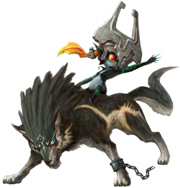
Wolf Link has almost the exact same controls, except the D-pad and B.
Left and right – Animal sense
Down – dig
B – Have Midna “paint” targets
Up still calls Midna. Also, tap the A button while moving to move faster.
In wolf form, you cant talk to humans any more, but you can talk to animals.
You wont have the B button attack right away, but you'll be using it a lot later. Hold down the B button and a circle will come out around you. Any enemy that enters that circle gets “painted” for an attack. Release B to lunge at all the enemies within the circle.
Wolf Link cant use items, but he can use his senses to see things Link cant. He can also dig in the ground to uncover items.
Horse
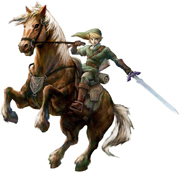 Epona |
Your trusty steed. You have much more control over Epona then before. Now you can use just about any item while riding her, including your sword. The controls are the same as in human form.
The A button enables a dash while you're moving. If you're standing still, A button mounts/dismounts her. Dash also allows you to jump over gates.


I can't pause the game! Please help
How do you accsess maps i forgot
How do I jump from ledge to tree stump to tree stump. It's in the beginning of the game when I'm trying to save the kid from the monkey in the forest. I've been jumping for two days and I'm so confused! Please help me!!!!
How did you beat this part please help
Is there a way of using a d-pad controller with this game.I would love to play with it.
this game should have been using the gamepad
how to get goats into the barn
How do you grab on to an overhead pulley as link?
My link won't jump either, I got one pulley, then the next two I can't jump to...
help me beet lakebed temple
Can't give away the bee larvae...I keep eating it!
I cant seem to run jump and throw all at the same time. I'm sure it sounds stupid as all get out but I'm stuck in the forest like a idiot
to swim u need ZORA ARMOR
How do go under water?
--> You will get a pair of heavy steel (?) boots for wrestling one of the Gorons in the mine. In later stages, equip the boots and you'll sink to the bottom of the water. You can't swim nicely like in Monster Hunter, just sink to the bottom and walk around. Unequip the boots to float back to the surface.
How do we jump from the horse while running?
--> You can't jump off the horse while it is running. You have to wait until it stops completely then press A to dismount.
plz tell me how do we jump from the horse while running
this really helped out thank you!
how do you go under water